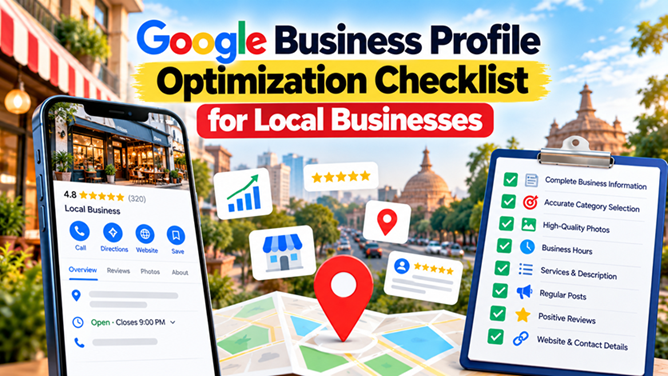
When customers search for a nearby service, shop, restaurant, or professional, they often use Google to discover businesses, compare reviews, check opening hours, and find contact details. If your business information is incomplete or outdated, potential customers may have difficulty finding or contacting you.
Google Business Profile is a free tool that allows eligible businesses to manage how they appear across Google Search and Google Maps. Optimizing your profile can help customers understand what you offer and make informed decisions about contacting your business.
In this guide, we explain how to optimize a Google Business Profile using a practical checklist. Whether you run a salon, coaching centre, restaurant, retail shop, consultancy, or service-based business in Patna, these steps can help you maintain an accurate and useful local business presence.
What Is Google Business Profile?
Google Business Profile is a business listing management tool that helps eligible businesses manage information displayed on Google Search and Google Maps. Depending on the business and its eligibility, customers may see details such as the business name, address or service area, phone number, opening hours, website, reviews, photos, and services.
A complete and accurate profile helps customers find essential information. However, creating or optimizing a profile does not guarantee a particular position in local search results.
To learn about the platform directly, visit the official Google Business Profile website.
Why Is Google Business Profile Optimization Important?
Local customers often search for businesses when they are ready to make a purchase, book an appointment, or contact a service provider. An accurate business profile can make it easier for them to evaluate your business and take the next step.
Optimizing your profile can help you:
- Present accurate business information on Google.
- Help customers find your location or understand your service area.
- Explain your products and services clearly.
- Share useful business photos and updates.
- Collect and respond to genuine customer reviews.
- Make it easier for customers to call, visit your website, or request directions.
- Support your broader local SEO strategy.
If you want to improve your website's local search presence as well, explore Local SEO Services in Patna.
Google Business Profile Optimization Checklist
1. Claim and Verify Your Business Profile
Start by checking whether your business already has a Google Business Profile. If a listing exists, follow Google's process to request access or ownership where appropriate. If you need a new listing, create one through the official platform.
Verification helps Google establish that you are authorized to manage the business information. The verification methods available depend on Google's assessment of your business and may vary.
Checklist:
- Check whether a profile already exists.
- Claim the correct listing or create an eligible profile.
- Complete the verification process offered by Google.
- Secure access for authorized team members.
- Keep your account recovery information up to date.
Official resource: Google Business Profile Help.
2. Use Your Accurate Business Name
Your business name should reflect the real-world name used by your business. Avoid adding extra keywords, locations, slogans, phone numbers, or service descriptions that are not part of your actual business name.
For example, if your registered or real-world business name is "ABC Digital Solutions," do not change it to a keyword-stuffed version such as "ABC Digital Solutions Best SEO Company in Patna" unless that is genuinely the business name used in the real world.
Adding unnecessary keywords to a profile name may violate Google's guidelines and could lead to profile restrictions.
Checklist:
- Use the real-world business name.
- Keep the name consistent with genuine business branding.
- Do not add promotional offers or unnecessary keywords.
- Follow Google's business representation guidelines.
3. Choose the Most Relevant Primary Category
Your primary business category helps Google understand what your business does. Select the most specific available category that accurately describes your main business activity.
Choose additional categories only when they genuinely describe other major activities of your business. Avoid selecting unrelated categories simply to appear in more searches.
For example, a business primarily offering digital marketing services should choose a category that best reflects its actual core activity, if available, rather than selecting every marketing, design, and technology category.
Checklist:
- Select an accurate primary category.
- Add relevant secondary categories when appropriate.
- Review categories when your core business changes.
- Avoid irrelevant or misleading categories.
4. Complete Your Business Information
Accurate information helps customers understand whether your business can meet their needs. Review every available field and provide details that reflect your actual operations.
Depending on your business type and eligibility, this may include:
- Business phone number.
- Website URL.
- Opening hours and special hours.
- Business address, where customers can legitimately visit.
- Service areas, if your business serves customers at their locations.
- Available services or products.
- Appointment or booking links, where supported.
Make sure the information is current and accurate. Do not use a virtual office, mailbox, or an address where your business does not meet Google's eligibility requirements to create the impression of a physical location.
5. Set Your Address or Service Area Correctly
Your profile should represent how your business actually serves customers. Businesses that receive customers at an eligible physical location can generally display their address. Businesses that travel to customers may need to configure a service-area profile and hide their address when customers are not served there.
Checklist:
- Use an accurate business address when eligible.
- Hide the address if required for your service-area business model.
- Specify genuine service areas where the option applies.
- Do not create fake locations to target additional cities.
- Keep your location information updated if your business moves.
Businesses serving customers in Patna should represent their actual operating arrangements rather than listing locations where they do not have an eligible business presence.
6. Write a Clear and Useful Business Description
Your business description should explain what your business offers, who it serves, and what customers can expect. Keep it natural, informative, and consistent with your actual services.
A useful description can mention:
- Your main business activities.
- Your products or services.
- The types of customers you serve.
- Relevant experience or specializations that can be substantiated.
- Your approach to helping customers.
Avoid excessive keywords, misleading claims, URLs, promotional pricing, or unsupported statements. Follow Google's current content policies for business descriptions.
7. Add Relevant Services and Products
If your profile supports service or product listings, use them to help customers understand what you provide. Keep descriptions clear and ensure that listed offerings are genuinely available.
For a digital marketing business, relevant offerings might include SEO, local SEO, website development, and social media marketing, provided these are actual services offered by the business.
For each applicable service, review:
- Whether the service name is clear.
- Whether the description accurately explains the offering.
- Whether the service is currently available.
- Whether the service connects naturally with a relevant website page.
For further information about website optimization, visit SEO Services in Patna.
8. Upload High-Quality Business Photos
Authentic photos can help potential customers understand your business before contacting or visiting you. Choose images that represent your actual location, products, team, work, or services.
Depending on your business, useful photos may include:
- Exterior and interior photos of an eligible customer-facing location.
- Products or examples of completed work.
- Team members performing genuine business activities.
- Equipment, facilities, or relevant service environments.
- Other authentic images that help customers understand your business.
Use clear, high-quality images that accurately represent the business. Avoid misleading stock images, excessive text overlays, and images that do not reflect the actual customer experience.
Review your photos periodically and replace outdated images when necessary.
9. Keep Opening Hours Updated
Incorrect opening hours can frustrate customers and reduce trust. Update your normal hours and special hours for holidays, temporary closures, or other changes.
Checklist:
- Set accurate hours for each operating day.
- Update holiday and special hours when applicable.
- Reflect temporary closures accurately.
- Check your profile after changing business operations.
If customers need appointments, make the booking process clear and provide accurate information about availability.
10. Encourage Genuine Customer Reviews
Customer reviews help people understand other customers' experiences. Genuine reviews may also contribute to the prominence aspect of local search visibility, although they do not guarantee higher rankings.
You can encourage customers to leave honest feedback by sharing your review link after a genuine interaction, such as a completed purchase or service.
Good review practices include:
- Ask customers for honest feedback without pressure.
- Make it easy for customers to find your review link.
- Never buy reviews or create fake customer accounts.
- Do not offer prohibited incentives in exchange for reviews.
- Do not selectively solicit only positive reviews.
- Follow Google's review policies.
Learn more in our related article, Why Google Reviews Matter for Local Businesses in Patna.
Official resource: Google Maps user-generated content policy.
11. Respond to Reviews Professionally
Responding to reviews shows that your business pays attention to customer feedback. Thoughtful responses can help build trust with both existing customers and people considering your services.
When replying to reviews:
- Thank customers for genuine positive feedback.
- Respond calmly and professionally to criticism.
- Acknowledge specific concerns when appropriate.
- Never disclose private customer information.
- Offer an appropriate channel to resolve complex complaints.
- Avoid repetitive, automated-sounding responses.
Do not argue with reviewers or make promises you cannot fulfil. Treat feedback as an opportunity to understand customer expectations and improve service quality.
For related guidance, read Google Review Management in Patna.
12. Publish Useful Google Business Profile Updates
Where Google Business Profile posts are available for your business, use them to share relevant updates with customers. Posts can help communicate current information, but publishing frequently does not guarantee better local rankings.
Depending on your business, useful updates may include:
- New services or products.
- Upcoming events.
- Seasonal business information.
- Genuine business announcements.
- Useful tips related to your products or services.
Keep updates accurate, useful, and consistent with Google's content policies. Check that any linked page works correctly and provides the information promised in the post.
13. Add Your Website and Relevant Contact Links
Your website gives potential customers a place to explore your services, understand your business, and contact you. Make sure the website link in your profile directs customers to the correct, working page.
For businesses with dedicated service pages, relevant landing pages may provide more useful information than a generic homepage when Google's available fields and policies allow their use.
For example, businesses interested in local search optimization can explore:
Ensure that your website displays accurate business details, loads correctly on mobile devices, and provides a clear way to enquire about your services.
14. Optimize Your Website for Local SEO
Google Business Profile is one part of local search optimization. Your website should also help visitors and search engines understand your business, services, and relevant service locations.
Review these website elements:
- Use clear titles and headings on important pages.
- Explain your services in useful, specific language.
- Display accurate contact information.
- Link related blog posts to relevant service pages.
- Make the website responsive and easy to navigate.
- Keep important pages accessible and indexable.
- Publish useful local content when it serves a genuine audience need.
Explore SEO Services in Patna for broader search optimization and On-Page SEO Services in Patna for page-level improvements.
15. Track Performance and Update Your Profile
Regularly review the performance information available in your Google Business Profile. Depending on the data and features available to your business, you may be able to review customer interactions and other profile performance metrics.
Use the available information to understand how customers discover and interact with your profile. Combine it with website data from Google Search Console and relevant analytics tools to assess your broader online presence.
Track:
- Changes in customer interactions.
- Calls or website visits where reporting is available.
- Customer questions and recurring feedback.
- Review trends and response practices.
- Whether business details remain accurate.
Do not rely on a single metric to evaluate success. Consider the quality of enquiries, customer needs, and your business objectives when deciding what to improve.
Common Google Business Profile Mistakes to Avoid
Even a well-designed profile can create problems if the information is misleading or violates Google's policies. Avoid these common mistakes:
- Keyword stuffing: Adding extra search terms to the business name.
- Fake locations: Listing addresses where the business is not eligible to operate.
- Duplicate profiles: Creating multiple listings for the same business location without a valid reason.
- Incorrect categories: Selecting categories that do not describe the actual business.
- Fake reviews: Buying, fabricating, or manipulating customer feedback.
- Outdated information: Leaving old hours, phone numbers, or service details in the profile.
- Misleading photos: Uploading images that do not accurately represent the business.
- Ignoring customers: Failing to address legitimate questions or complaints.
Follow the official Google Business Profile Help guidelines when creating or updating your listing.
How Often Should You Optimize Your Google Business Profile?
Profile optimization is not a one-time task. Review the profile regularly and update it whenever your business information changes.
- Weekly: Check for customer reviews, questions, and important updates.
- Monthly: Review available performance data, photos, and service information.
- When changes occur: Update hours, contact details, services, or business information promptly.
- Periodically: Review your website, local SEO strategy, and the accuracy of your business information across relevant platforms.
The right frequency depends on your business activity and how often your information changes. The priority is keeping the profile accurate, useful, and compliant with Google's policies.
How Owntus Media Can Help With Local SEO
Managing a business profile alongside website optimization, reviews, and local content can take time. A structured local SEO strategy can help you organize these activities around your business goals.
Owntus Media's Local SEO Services in Patna can help businesses explore location-focused search optimization. You can also review these related services:
For additional reading, explore Google Review Service in Patna and SEO Services in Patna: What Does an SEO Agency Actually Do?.
To discuss your business requirements, visit the Owntus Media contact page.
Conclusion
Google Business Profile optimization helps eligible local businesses present accurate information, explain their services, share authentic photos, and manage customer feedback. These activities can make it easier for customers to discover and evaluate your business online.
Start by claiming and verifying your profile, choosing an accurate category, completing your information, adding relevant services, and maintaining genuine customer reviews. Then connect your profile with a useful website and review your performance regularly.
For businesses in Patna, a well-maintained Google Business Profile combined with relevant website content and local SEO can support a stronger online presence. Results vary by business, competition, relevance, distance, and other factors, so focus on consistent improvements rather than guaranteed ranking promises.
Frequently Asked Questions (FAQs)
1. What is Google Business Profile optimization?
Google Business Profile optimization means keeping an eligible business listing accurate, complete, useful, and compliant with Google's policies. It can include updating categories, contact information, opening hours, services, photos, and customer review responses.
2. Is Google Business Profile free?
Yes. Google Business Profile is a free tool for eligible businesses to manage their presence on Google Search and Google Maps. Businesses may still choose to spend money on other marketing activities, but creating and managing the profile itself is free.
3. How do I improve my Google Business Profile ranking?
Provide accurate business information, select relevant categories, maintain useful service details, collect genuine reviews, and follow Google's guidelines. Local results are influenced by factors such as relevance, distance, and prominence, so no specific ranking can be guaranteed.
4. How many reviews does a local business need?
There is no universal number of reviews required to rank. Focus on earning genuine feedback consistently, responding professionally, and improving the customer experience rather than trying to reach an arbitrary review target.
5. Can I add keywords to my Google Business Profile name?
Your profile name should reflect your real-world business name. Adding extra keywords or location names that are not part of the actual business name may violate Google's guidelines.
6. Should a service-area business display its address?
If a business travels to customers and does not serve customers at its business address, it generally needs to hide that address and configure its service area appropriately. Follow Google's current eligibility and address guidelines for your specific business model.
7. How often should I post on Google Business Profile?
Share useful updates when you have relevant news, services, events, or business information to communicate. Posting frequency alone does not guarantee better rankings. Keep posts accurate and follow Google's content policies.
8. Do Google reviews help local SEO?
Reviews can contribute to local search prominence and help customers evaluate a business. Their impact varies, and reviews do not guarantee a specific ranking. Never buy reviews or offer prohibited incentives in exchange for them.
9. Is Google Business Profile enough for local SEO?
No. It is an important component of local visibility, but businesses may also need useful website content, accurate contact information, relevant internal links, a technically accessible website, and consistent business information across appropriate platforms.
10. Can Owntus Media help with local SEO in Patna?
You can explore Local SEO Services in Patna from Owntus Media to learn about location-focused search optimization and discuss your business requirements.