Have you created a website, published blog posts, and optimized your pages but still struggle to appear on Google? You are not alone. Many small businesses experience low organic traffic even after investing time and effort in their websites.
There can be several reasons why a website is not ranking on Google. Your pages may not be indexed, your content may not match search intent, your website may have technical issues, or competing websites may provide more useful information.
The good news is that you can investigate these problems systematically. In this guide, we explain nine common reasons your website may not be ranking and what you can do to improve its search visibility.
1. Your Website or Important Pages Are Not Indexed
Google generally needs to discover and index a page before it can appear in organic search results. If your important pages are not indexed, optimizing their content alone may not solve the problem.
Start by checking your website's indexing status in Google Search Console. Open the Page Indexing report and use URL Inspection to investigate individual pages.
Check for these potential issues:
- Important pages excluded from indexing.
- An accidental noindex meta tag or X-Robots-Tag directive.
- Pages blocked by robots.txt when crawling is required.
- Incorrect canonical URLs.
- Pages returning server errors or unintended redirects.
- Important URLs missing from internal navigation and links.
You can also use the search query site:yourdomain.com to get a rough indication of indexed pages. However, this is not a complete indexing report; Google Search Console is a better place to investigate individual URLs.
Useful resource: Google Search Console.
2. You Are Targeting the Wrong Keywords
Your website may target keywords that are too competitive, too broad, or unrelated to what your potential customers actually want. Ranking depends partly on how well a page satisfies the intent behind a search query.
For example, a small business serving Patna may find it more useful to target relevant service-specific searches than to focus only on broad terms such as "marketing" or "website."
Review your keyword strategy:
- Identify the main search intent for each important page.
- Research relevant service and location keywords.
- Review actual search queries in Google Search Console.
- Use natural keyword variations in titles, headings, and body content.
- Avoid creating multiple pages that target the same search intent without a clear purpose.
For businesses looking to improve keyword targeting and overall search visibility, explore SEO Services in Patna.
3. Your Content Does Not Match Search Intent
Even if a page includes the right keywords, it may struggle to rank if it does not answer the searcher's question. Google aims to present useful results that satisfy the needs behind a search.
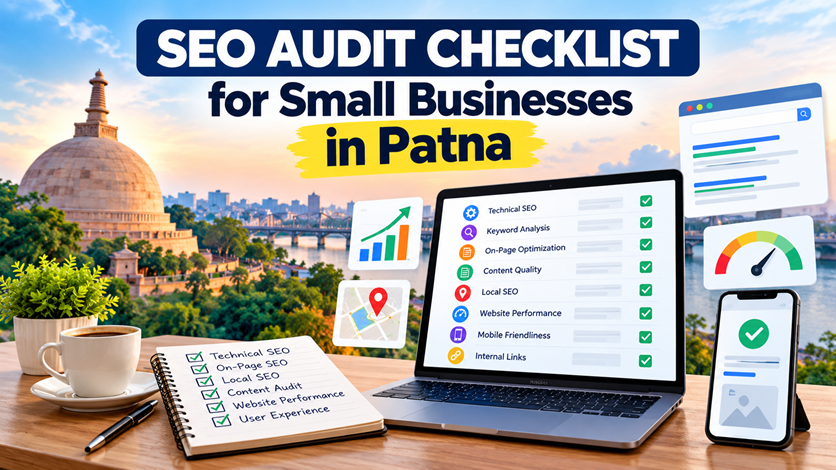
For example, someone searching for an SEO audit checklist probably expects practical steps, common technical problems, and tools to check their website. A short promotional page about SEO services may not satisfy that intent.
Improve your content by checking whether it:
- Answers the main question clearly.
- Provides practical and accurate information.
- Uses headings to organize the topic.
- Includes relevant examples or actionable steps.
- Avoids unnecessary repetition and generic filler.
- Helps readers understand what to do next.
Do not add words simply to make an article longer. Focus on covering the topic well and providing information that genuinely helps your audience.
4. Your On-Page SEO Needs Improvement
On-page SEO helps search engines and visitors understand what each page is about. Poor titles, unclear headings, weak internal links, and unhelpful page structure can make a website less effective.
Review these elements on your important pages:
- Page title: Make it descriptive, unique, and relevant to the page.
- Meta description: Summarize the page accurately and encourage relevant clicks.
- Main heading: Clearly explain the page's main topic.
- Content structure: Organize information with meaningful headings.
- Internal links: Connect related articles and service pages.
- Images: Use appropriate image sizes and descriptive alt text where needed.
- URL structure: Keep URLs understandable and consistent.
Learn more about On-Page SEO Services in Patna for page-level optimization.
5. Your Website Has Technical SEO Problems
Technical problems can prevent search engines from crawling important pages efficiently or understanding which URL should appear in search results. A website can look attractive to visitors and still have technical SEO issues.
Check the following:
- Important pages return the correct HTTP status code.
- Canonical tags point to the intended URLs.
- Redirects work correctly without unnecessary chains or loops.
- Internal links do not lead to broken pages.
- Robots.txt does not unintentionally block important content.
- HTTPS works correctly across the website.
- The XML sitemap contains appropriate canonical URLs.
Review your XML sitemap to find the URLs submitted for discovery. A sitemap can help Google discover pages, but submitting it does not guarantee indexing or rankings.
For official guidance, read Google's sitemap documentation.
6. Your Website Is Slow or Difficult to Use on Mobile
Website performance and usability affect the experience visitors have when they open your pages. Slow loading, difficult navigation, intrusive pop-ups, and poorly displayed content can frustrate users.
Check whether your website:
- Loads important content quickly.
- Displays correctly on smartphones and tablets.
- Uses readable text and appropriately sized buttons.
- Avoids unexpected layout shifts.
- Uses optimized images and avoids unnecessary scripts.
- Provides clear navigation and accessible contact information.
Use Google PageSpeed Insights to review performance recommendations and available Core Web Vitals data.
If your website needs structural, usability, or performance improvements, explore Website Development in Patna.
7. Your Website Lacks Useful Internal Links and Relevant Authority
Internal links help visitors discover related information and help search engines understand the relationships between pages. If important pages receive few internal links, they may be harder to discover through your website's structure.
Build a logical internal linking strategy:
- Link relevant blog posts to their corresponding service pages.
- Use descriptive anchor text that explains the destination.
- Link from related service pages to useful supporting articles.
- Make important pages accessible through navigation and contextual links.
- Fix broken internal links and review orphaned pages.
For example, a blog about choosing a social media agency can link to your Social Media Marketing in Patna service page when it is contextually relevant.
External links pointing to your website can also contribute to how search engines discover and assess your content. Focus on earning relevant, genuine mentions and links through useful resources, partnerships, and original work. Avoid buying manipulative links or participating in link schemes.
Read our related guide: SEO Services in Patna: What Does an SEO Agency Actually Do?.
8. Your Local SEO Is Not Properly Optimized
If you operate a local business, your website may need a stronger local search strategy. Local visibility can depend on factors such as relevance, distance, and prominence, so location keywords alone cannot guarantee a prominent position.
Review these local SEO elements:
- Maintain an accurate and eligible Google Business Profile.
- Use the correct business name, address, phone number, and opening hours.
- Choose relevant business categories.
- Keep service information accurate and useful.
- Encourage genuine customer reviews and respond professionally.
- Maintain consistent business information across relevant directories.
- Create genuinely useful location-specific website content.
Avoid fake addresses, misleading business information, and near-identical location pages created only to target more cities.
Explore Local SEO Services in Patna for more information about location-focused search optimization.
Official resource: Google's guide to improving local ranking.
9. You Are Not Monitoring Performance or Giving SEO Enough Time
SEO is an ongoing process, and results do not usually appear immediately after publishing a page or making a few changes. Search visibility can be influenced by competition, content quality, website history, technical health, and how well a page satisfies user needs.
Use Google Search Console to review clicks, impressions, click-through rate, average position, and indexing information. Compare consistent date ranges to understand whether your changes are associated with improvements.
Use the data to decide what to do next:
- Impressions but few clicks: Review the title, snippet, search intent, and relevance of the page.
- Very low impressions: Investigate indexing, keyword demand, content relevance, and competition.
- Declining performance: Check for technical changes, content issues, seasonality, and search demand changes.
- Important pages not indexed: Investigate the URL in Search Console and address any relevant issues.
- Visitors but few enquiries: Review the page's clarity, trust signals, usability, and contact options.
Do not judge an SEO campaign on a single day's results. Track meaningful changes over time and prioritize improvements based on evidence.
Use Google Search Console to monitor organic search performance.
How to Prioritize SEO Fixes
If your website has several issues, avoid trying to fix everything at once. Start with problems that prevent important pages from being accessed or indexed, then improve page relevance and usability.
- First: Investigate indexing errors, server problems, incorrect redirects, and canonical issues.
- Second: Improve the content and on-page SEO of important service pages.
- Third: Review mobile usability, website performance, and internal linking.
- Fourth: Strengthen local SEO and publish genuinely useful supporting content.
- Finally: Measure results in Search Console and continue refining your strategy.
How Owntus Media Can Help Improve Your Website's SEO
Diagnosing ranking problems can be challenging when technical issues, content quality, keyword targeting, and competition overlap. A structured SEO review can help you identify priorities and build a practical optimization plan.
Owntus Media's SEO Services in Patna can help businesses explore website optimization and organic search growth opportunities.
You can also explore these related services:
- Local SEO Services in Patna
- On-Page SEO Services in Patna
- Website Development in Patna
- Social Media Marketing in Patna
To discuss your website requirements, visit the Owntus Media contact page.
Conclusion
If your website is not ranking on Google, the cause may be related to indexing, keyword targeting, content relevance, on-page SEO, technical problems, website usability, internal links, local SEO, or performance monitoring.
Start by checking the data in Google Search Console, reviewing your most important pages, and fixing issues that have the greatest impact on accessibility and usefulness. Then improve content quality, internal linking, and local relevance where appropriate.
Consistent, evidence-based improvements can strengthen your website's search visibility over time, although no SEO change can guarantee a specific ranking or timeline.
Frequently Asked Questions (FAQs)
1. Why is my website not ranking on Google?
Your website may not be ranking because important pages are not indexed, the content does not match search intent, technical issues affect crawling, or competing pages provide more relevant information. Use Google Search Console and a structured SEO audit to identify likely causes.
2. How can I check whether Google has indexed my website?
Open Google Search Console, review the Page Indexing report, and inspect important URLs with the URL Inspection tool. A Google site search can provide a rough indication of indexed pages, but it is not a definitive report.
3. How long does it take for a website to rank on Google?
There is no fixed timeline. Results depend on competition, website quality, search demand, technical health, content relevance, and the changes implemented. Google may take time to crawl, index, and reassess updated pages.
4. Can technical SEO problems prevent rankings?
Yes. Problems such as accidental noindex directives, incorrect canonical tags, server errors, blocked crawling, and broken redirects can affect whether pages are discovered, indexed, or shown in search results.
5. Does publishing more blog posts improve Google rankings?
Publishing more articles does not automatically improve rankings. Focus on useful, original content that addresses relevant search intent, supports your services, and provides value to your audience.
6. Why does my website get impressions but no clicks?
Your pages may appear for queries that are not sufficiently relevant, have low average positions, or show titles and snippets that do not encourage clicks. Review query-level performance and improve relevance and presentation without making misleading promises.
7. Is local SEO important for small businesses?
Local SEO can help eligible businesses become more visible for relevant searches connected with their service areas. Accurate business information, a well-maintained Google Business Profile, useful local content, and genuine reviews can support local visibility.
8. Can an SEO agency guarantee first-page rankings?
No agency can guarantee a particular Google ranking. A professional provider can audit your website, explain its recommendations, implement agreed improvements, and measure progress, but search results are influenced by factors outside the provider's control.
9. Which SEO tools should I use to find ranking problems?
Start with Google Search Console for search performance and indexing, Google PageSpeed Insights for performance diagnostics, and manual reviews of important pages, links, titles, and mobile usability. Additional crawling tools may be useful for larger websites.